Property Watch Panel
Property Watching feature allows you to observe and conduct changes in pins properties without the need to select their owner node.
To add a pin to the Watch Panel:
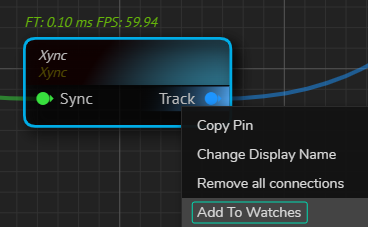
- Right-click on the pin you want to watch.
- Select the Add to Watch option from the Nodegraph Context Menu.
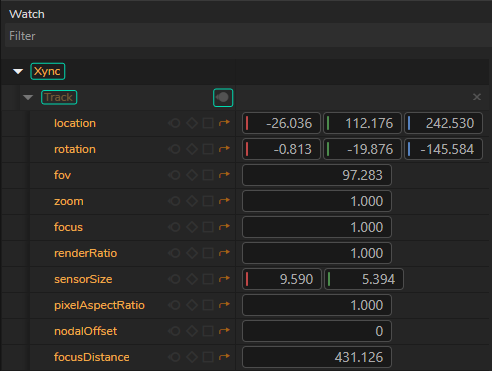
- The pin will now appear in your Watch Panel where changes can be observed in real time, as shown above.
The image above indicates that Xync node's Track output pin is currently watched.
Use Case
In scenarios where Transform Mapping is required, such as when you need to negate the X and Y coordinates for proper tracking alignment, monitoring the Track output is vital for ensuring accuracy. With the Property Watching feature:
- Add the
Xyncnode'sTrackoutput to Watch Panel by right-clicking and selecting Add to Watch. - Negate X and Y coordinates within the node to match the project needs.
- Observe the pin in the Watch Panel to ensure that the negated coordinates accurately reflect the changes in real-time.
This functionality simplifies the process of fine-tuning the transform mapping by giving immediate feedback, allowing for quick adjustments and precise control over the tracking data.